
A Discord bot for your server, running on macOS.
Install SwiftBot on your Mac, connect it to your Discord server, and let it handle moderation, onboarding, AI FAQ replies, update alerts, Web UI access, and SwiftMesh failover when uptime matters.
Free and open source, with no subscriptions or paid tiers. SwiftBot runs locally on your Mac — no hosted account required.
Latest release: v1.21 · Requires macOS 26.0 or later · Apple Silicon
Learn more: install SwiftBot · Discord bot setup · Admin Web UI · help docs
All your bot essentials,
in one native Mac app.
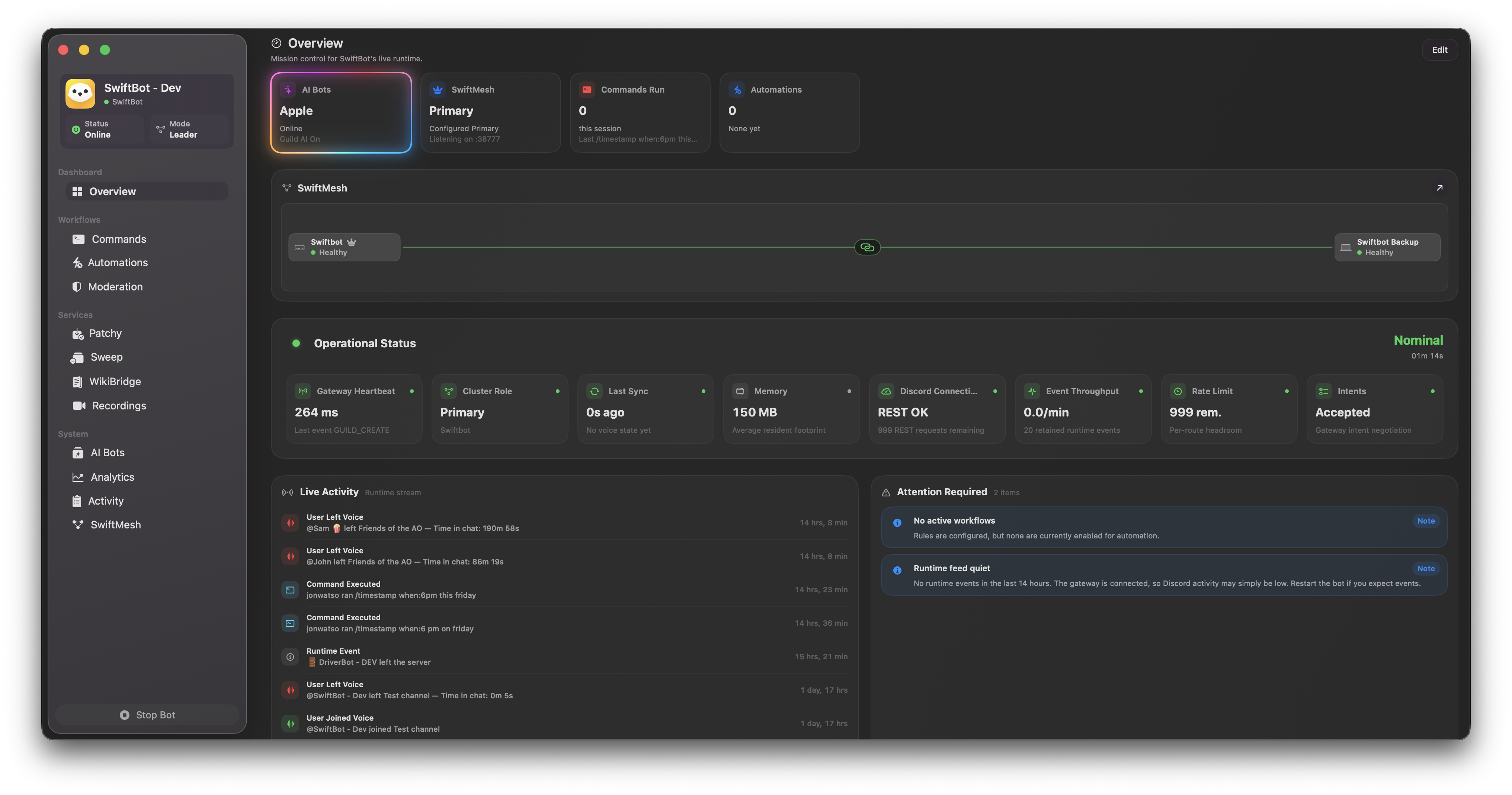
Manage the bot running on your server from a Mac dashboard instead of scattered config files, terminal logs, and browser tabs.
Native dashboard
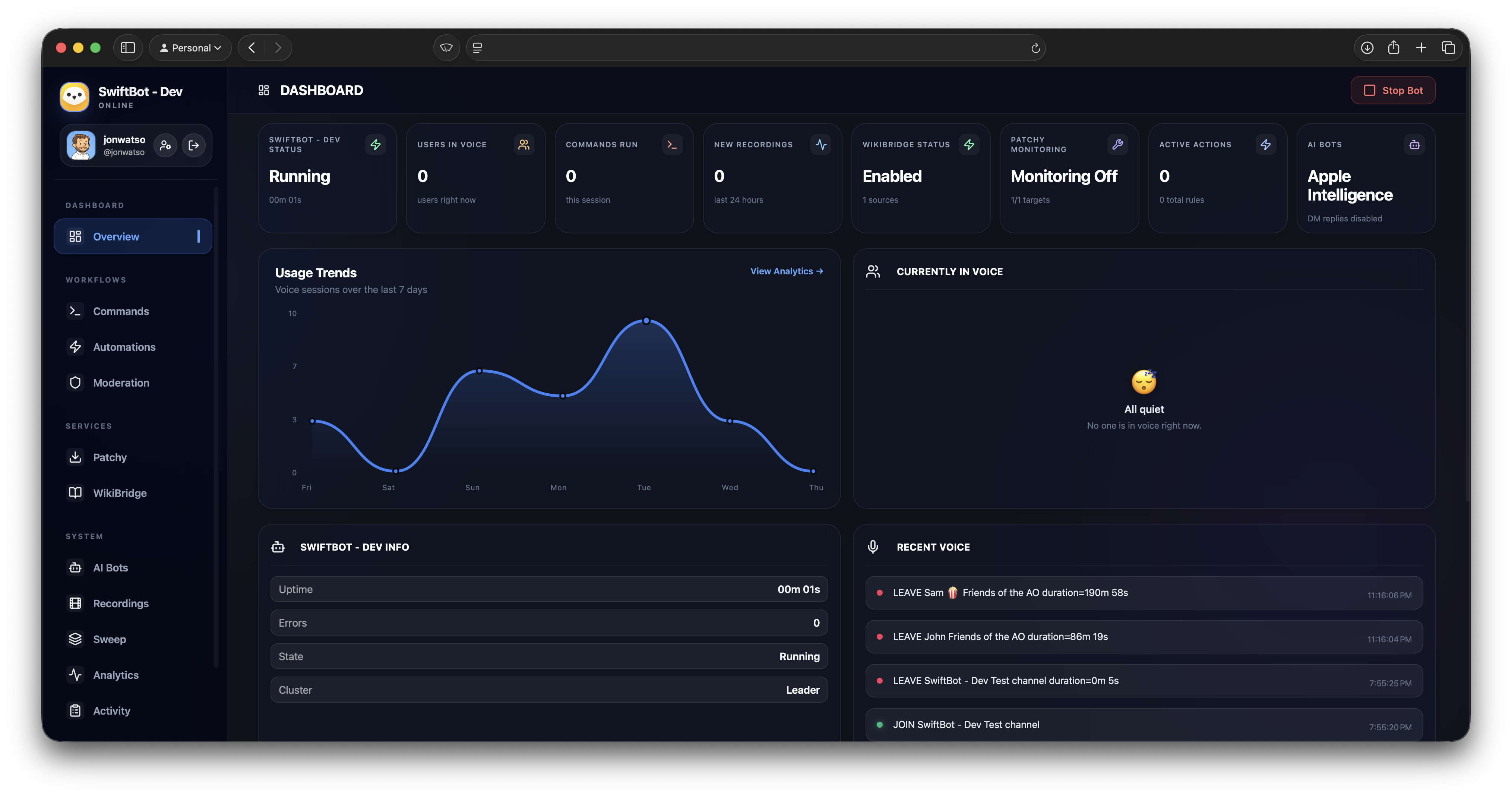
See bot status, Discord activity, slash commands, permissions, diagnostics, analytics, latency, and logs from one SwiftUI Mac app.
Server automation
Handle joins, welcome flows, message rules, moderation actions, role changes, DMs, channel routing, voice events, and scheduled cleanup.
AI and knowledge replies
Answer repeat server questions with Apple Intelligence, Ollama, or OpenAI, plus WikiBridge lookup commands and configurable response rules.
SwiftMesh reliability
Run primary and standby nodes, sync live state, rehearse handovers, keep output leader-gated, and recover cleanly when uptime matters.
Patchy update alerts
Watch AMD, NVIDIA, Intel, Steam, GitHub, Apple, and other sources, then post clean release alerts to the right Discord channels.
Diagnostics & analytics
Watch latency, gateway health, throughput, and rate limits, and dig into logs and diagnostics without leaving the app.
Admin Web UI
Check in and manage the bot from your phone, tablet, or any browser. Keep it local-only, or publish it over HTTPS through SwiftBot's Cloudflare Tunnel flow when the Mac is elsewhere.
Get SwiftBot running in minutes.
Create the Discord app, paste the token, choose what SwiftBot should handle, and add failover when you need it.
Create your Discord app
Make a bot in the Discord Developer Portal, copy the token, and enable the required gateway intents.
Launch SwiftBot
Paste the token during onboarding. SwiftBot validates it, stores it in Keychain, and builds the invite URL.
Configure workflows
Set commands, automation rules, AI providers, Patchy sources, Sweep cleanup, and Web UI access.
Add failover when ready
Pair standby or worker nodes with SwiftMesh join codes and test the handover path before you need it.
Privacy first. Your server stays yours.
SwiftBot runs on your Mac and talks directly to Discord. There is no SwiftBot cloud account, hosted dashboard, or third-party sync service between you and your server.
Secrets stay in Keychain
Bot tokens and API keys are stored in the macOS Keychain, not in plain text config files.
Local app state
Settings, rules, logs, and cached Discord metadata live on the Mac running SwiftBot.
No required hosted account
Remote access is optional and controlled by your own Web UI, OAuth, and tunnel settings.
Scoped Web UI access
The Admin Web UI uses Discord OAuth, so only trusted admins can sign in to manage the bot.
A bot host that feels like a Mac app.
Lightweight by design.
A native Swift app keeps your bot responsive and quiet in the background, with a low resource footprint instead of a heavyweight runtime.
Headroom for busy servers
Your Mac is far more capable than a typical small VPS, and SwiftBot puts that power to work — handling bursts of joins, message rules, AI replies, and concurrent automations without breaking a sweat on large, active servers, while still staying light in the background.
Built for Apple Silicon
A native Apple Silicon app for macOS 26 or later. Full speed, no emulation, and a UI that feels at home on the Mac.
Built with Swift
Written natively in Swift and SwiftUI instead of an Electron shell. The interface feels immediate and the app stays light.
100% Open Source
Every part of SwiftBot is public and auditable, from the app to the update flow. Inspect the code, build it yourself, or follow along on GitHub.
Ready to add SwiftBot to your server?
Free, open source, and ready in about a minute. Download the latest signed release, then follow the setup guides for Discord, the Web UI, and SwiftMesh.
Get SwiftBotFree · Version 1.21 · Requires macOS 26.0 or later · Auto-updates.